Apple Intelligence With ChatGPT Integration
Apple Intelligence takes personal intelligence to the next level with the integration of ChatGPT in iOS 18, iPadOS 18, and macOS Sequoia. Users get access to advanced writing tools, improved notification handling, image creation, and a smarter Siri – all with the highest possible privacy protection.

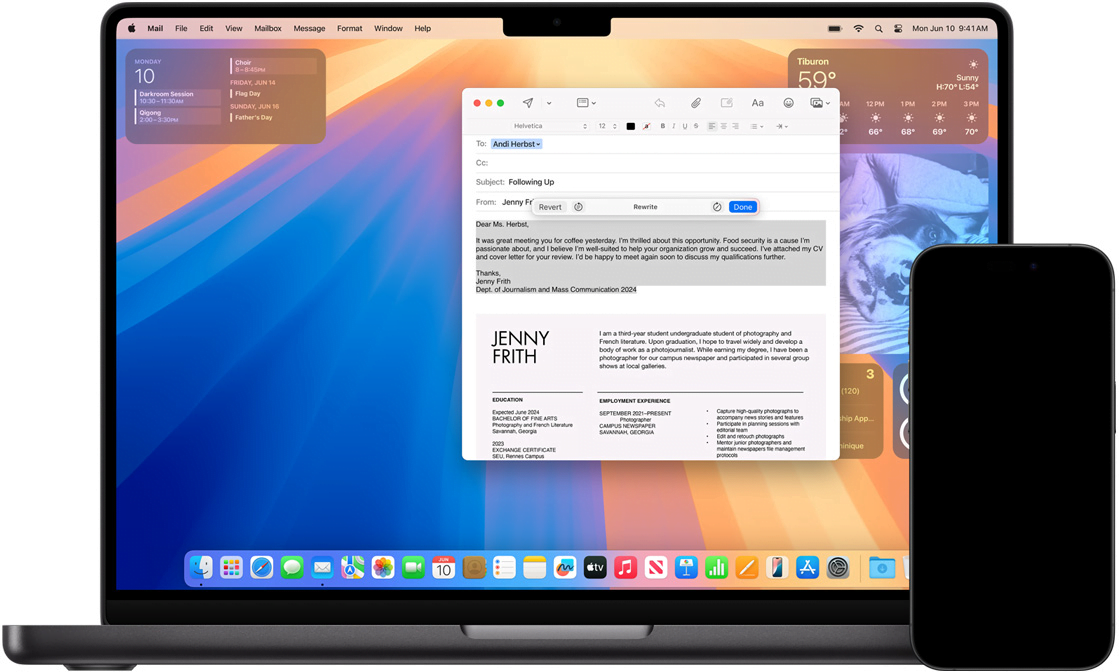
Apple Intelligence introduces innovative tools for users to write better and communicate more effectively. By integrating system-wide writing tools into iOS 18, iPadOS 18, and macOS Sequoia, users can now easily rewrite, proofread, and summarize text in apps like Mail, Notes, Pages, and third-party apps.
ChatGPT Integrated Into Apple's Platforms
Apple has integrated ChatGPT into its latest operating systems, giving users access to advanced language and image understanding without having to switch between different tools. Siri also makes use of ChatGPT, where the user must approve before questions, documents, or images are sent for processing. ChatGPT is available at no cost and requires no user account, but subscribers can connect their accounts to access paid features.
Smart Writing Tools With Privacy Protection
With Apple Intelligence, users can choose between different versions of a text and adjust the tone for the current audience. The Proofread and Summarize tools help improve grammar and summarize text clearly. In addition, users' IP addresses are hidden, and requests aren't stored by OpenAI, providing built-in privacy protection.
Improved Notifications and Focus Settings
Apple Intelligence also improves notification management. Priority notifications appear at the top, and summaries of longer notifications appear directly on the home screen. The new Reduce Interruptions focus setting helps users concentrate by only letting through notifications that require immediate attention.
Audio Recording and Transcription
In apps like Notes and Phone, users can now record, transcribe, and summarize audio. During calls, participants are automatically notified when a recording starts, and a summary is created after the call to make note-taking easier.
Image Creation and Improved Image Search
With Image Playground, users can create images in different styles such as Animation, Illustration, and Sketch. Image search in Photos is improved with natural language, making it easier to find specific images and video clips. The Clean Up tool helps users remove distracting objects in the background without affecting the main subject.
Siri Becomes Smarter and More User-Friendly
Siri now has deeper integration into the system thanks to Apple Intelligence, making it more natural and context-aware. Users can now type to Siri and easily switch between text and voice. Siri has also gotten a new look, with a glow along the edges of the screen when active.
AI Privacy and Local Data Processing
An important part of Apple Intelligence is that data processing happens locally on the device. For more complex requests, Private Cloud Compute is used, which processes data on Apple's own servers equipped with Apple silicon. No data is saved or made accessible to Apple, ensuring users' privacy.